![RaceID-Wordmark.png]](https://support.raceid.com/hs-fs/hubfs/RaceID-Wordmark.png?height=20&name=RaceID-Wordmark.png)
You need to update the translations manually both under the event settings and under the distance settings. You can add more than one language, but all different languages and fields have to be updated manually and It's very important that you go through all fields your fields.
If you make any updates in the default language / settings, you have to update also the fields in the translations!
Start by clicking on Language in the event settings. Here you can choose which is your default language, and which translations you would like to add:
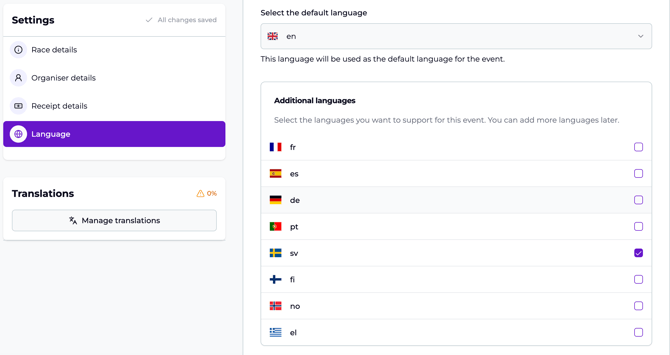
Click on Manage Translations to make your updates.
Make sure all translations are updated correctly, you will see the green mark when you're done. If you're not done yet you'll see the red mark, as below:
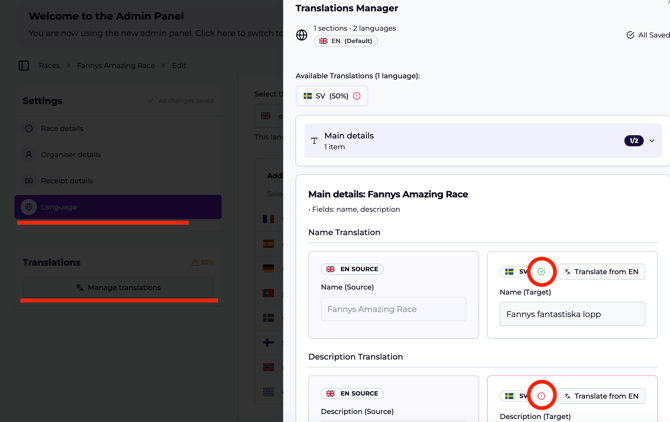
In the Translation Manager on the top, you'll get an overview of how many % are missing/when the settings are complete.
Do the same thing in the settings for each distance.