![RaceID-Wordmark.png]](https://support.raceid.com/hs-fs/hubfs/RaceID-Wordmark.png?height=20&name=RaceID-Wordmark.png)
There are a few steps that need to be completed before you can send your race for approval, such as completing your billing info and your payment details. If you haven't done that yet, please do so. If any info is missing, it will be indicated in the progress bar in your dashboard.
When you are ready to send your race for approval, select the race in your list of races: 
Then, click on the purple button Send for Approval: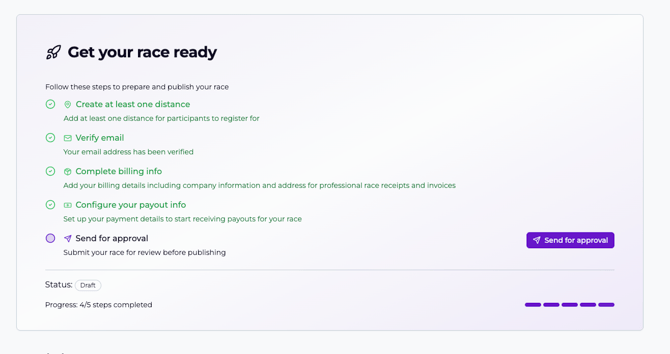
Then, confirm:
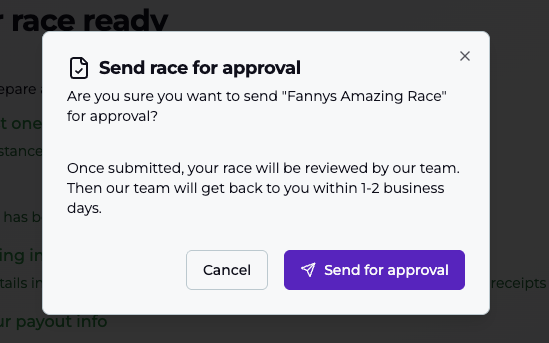
When you send your race for approval, we will get a notification to check through your race so that everything is ready for opening registrations. Once that process is done, we will approve it and your race is ready! It usually takes less than 24 hours for your race to be approved. If you need urgent approval of a race, please notify organizer@raceid.com or your personal contact and we will make it happen.

In case you need help completing your race, check out these guides:
What do I need to do before sending my event for approval?