![RaceID-Wordmark.png]](https://support.raceid.com/hs-fs/hubfs/RaceID-Wordmark.png?height=20&name=RaceID-Wordmark.png)
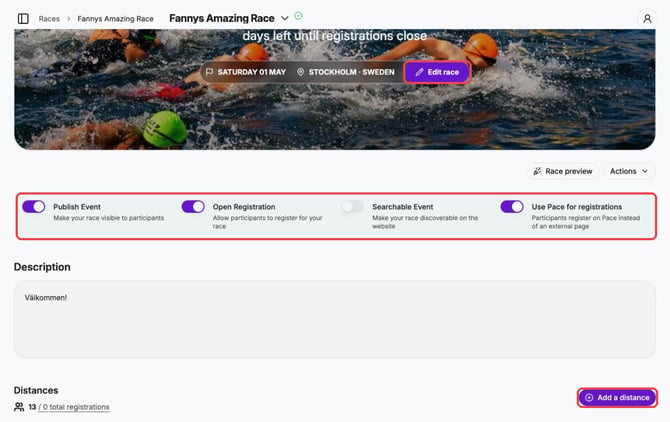
Everything starts on your race page in Pace Admin:
The five steps
1. Create your event. In Pace Admin, go to Races and add a new race. Guide: How to create a new event
2. Add your distances. On the race page, click Add a distance and fill in name, date, registration dates and price. Guide: How to create a new distance
3. Send your event for approval. Pace checks your event before it can go live. Guides: What do I need to do before sending my event for approval? and Send my event for approval
4. Publish and open registration. Switch on Publish Event and Open Registration on the race page. Guide: How to open your registration
5. Share your registration link. Guide: Get the Registration Link for my Race