![RaceID-Wordmark.png]](https://support.raceid.com/hs-fs/hubfs/RaceID-Wordmark.png?height=20&name=RaceID-Wordmark.png)
For every order that is made from the Pace Sports platform a receipt is created and sent via confirmation e-mail to the registered participant, but also saved and stored in the transactions list for you as Race Organizer to download. Here is how to find the receipt if your participants are asking for it from you;
-
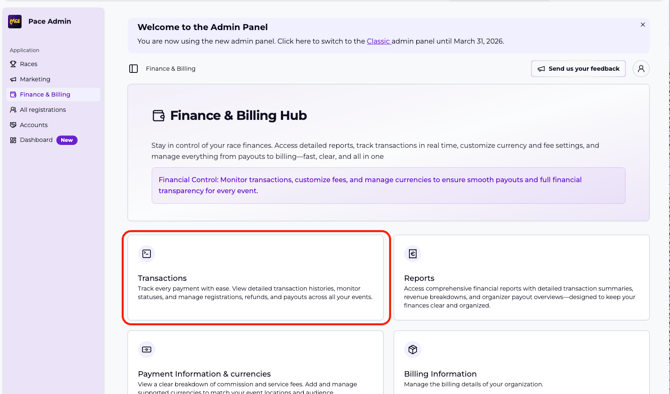
Go to the "Finance and Billing" module in the admin menu
- Click "Transactions" to enter the transactions overview displaying a list of all orders through the platform.
-
Search for the participant which receipt you want to find, Use the filters to search on order ID, e-mail or scroll to the correct date. You can simply click on the filter to open up a search field for that specific filter.
-
After finding your participant; Click on the Order number in the "ID" column to the left. This will open the detailed view on the transaction.
-
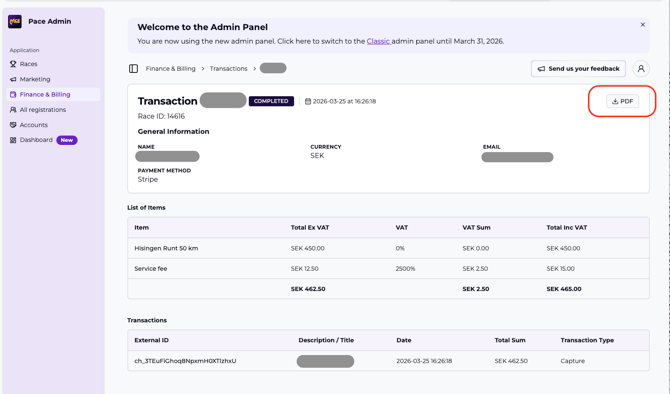
On your top right there is a button with an arrow and the text PDF. Clicking on this will download the receipt of the participant to your device.