Good to know
- Pace sends the confirmation email automatically after each registration. It includes the race details and the receipt if the participant paid.
- You can add your own text, links and images. The rest of the email is standard and can't be edited.
- The content is set per distance. Add it to each distance.
Add your content
1. Log in to Pace Admin and open your race.
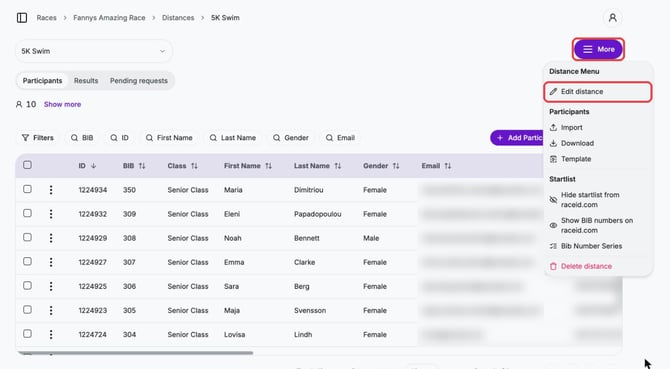
2. Open the distance under Distances, click More and choose Edit distance.
3. Click Confirmation email in Steps and write your text under Email Content. Use the toolbar to add links and images.
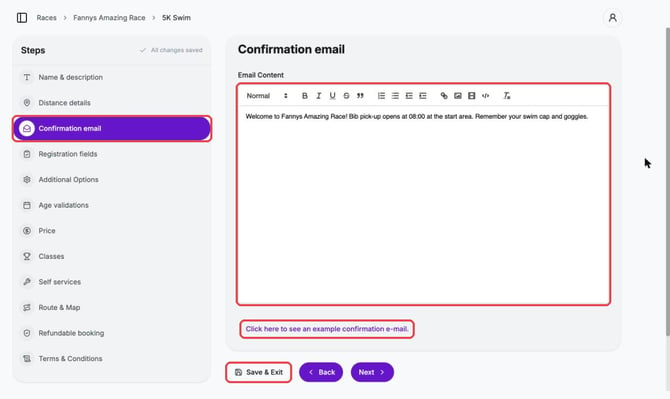
4. Click Click here to see an example confirmation e-mail. to see where your content appears in the email.
5. Click Save & Exit.
Tips
- Good content: bib pick-up, parking, start times, what to bring and offers from your partners.
- To reach participants after they have registered, use announcements.