![RaceID-Wordmark.png]](https://support.raceid.com/hs-fs/hubfs/RaceID-Wordmark.png?height=20&name=RaceID-Wordmark.png)
When you invite a co-organizer to work on your race, they get limited access. A co-organizer can only edit start lists, racers and distances. They cannot see or access any financial information, and they cannot create new races or distances.
Looking to add a timing assistant to the RaceID Timing App? Go to this guide.
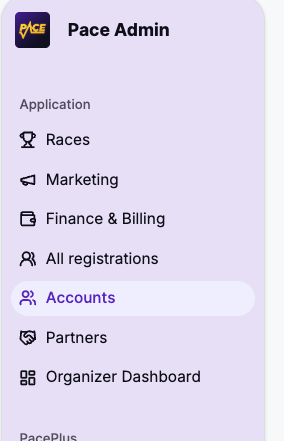
1. Log in to Pace Admin and navigate to "accounts" in the left-hand side menu:
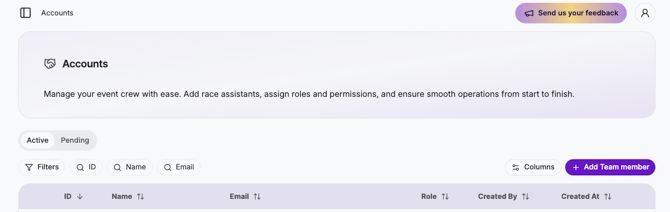
2. Click on the purple button "Add Team Member"
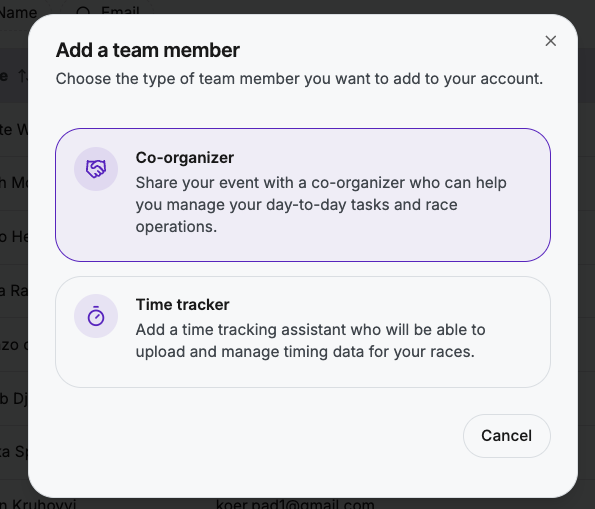
3. Select "Co-organizer"
4. Enter the email of the person you want to invite and select the race or races you want the person to be able to access:
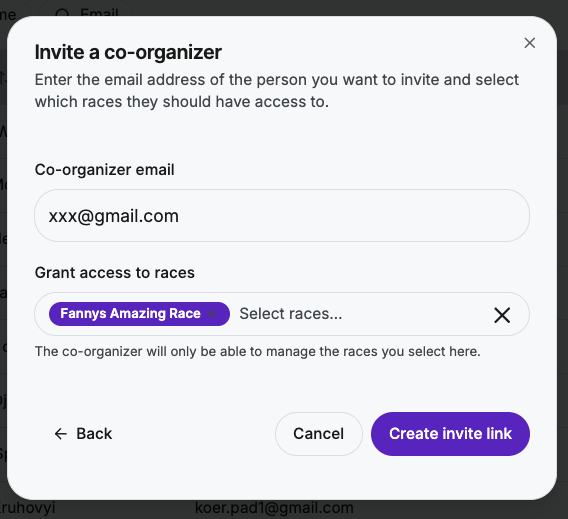
5. Copy the invite link, and share this with the person you want to invite:
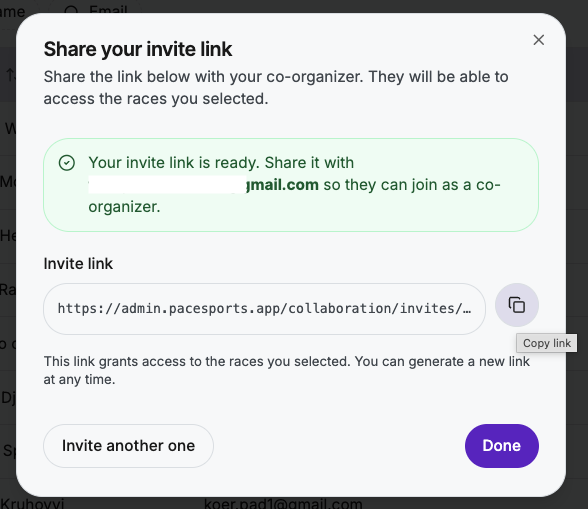
Note that this invite link is personal, and it only works with the associated email address. Once your co-worker has created an account and accepted teh invitation, they will be able to work on the race or races you invited them to.