![RaceID-Wordmark.png]](https://support.raceid.com/hs-fs/hubfs/RaceID-Wordmark.png?height=20&name=RaceID-Wordmark.png)
You do not need to add all your information before you get going. It is however important that you add necessary information to your event setting and/or organizer details.
There are a few sections where you add information about you as an organiser:
-
Settings in your event
- When setting or editing your event you have two sections where you set up your details: Organiser details and Receipt details.
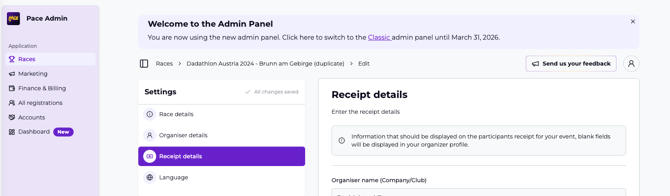
- When setting or editing your event you have two sections where you set up your details: Organiser details and Receipt details.
- Personal info
- To access this information you click on the round Profile Button in the top right corner. Here you can edit your E-mail and password settings.
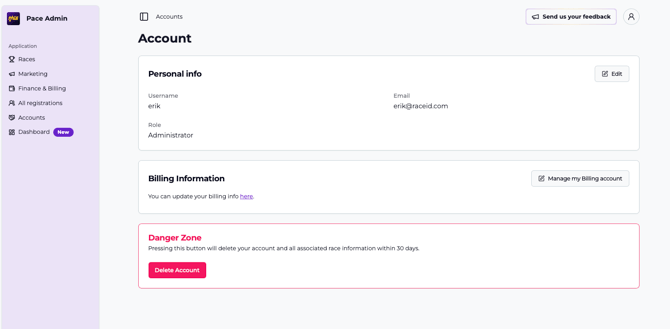
- To access this information you click on the round Profile Button in the top right corner. Here you can edit your E-mail and password settings.
- Billing information
- This section is where you set up your organisation details necessary for payouts. You can reach this section either through the profile section or via the Finance & Billing menu.
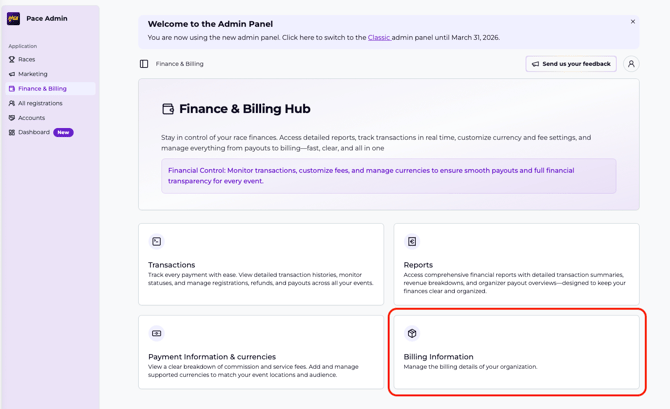
- This section is where you set up your organisation details necessary for payouts. You can reach this section either through the profile section or via the Finance & Billing menu.