1. Open your race, click the three dots next to the distance and select Edit.
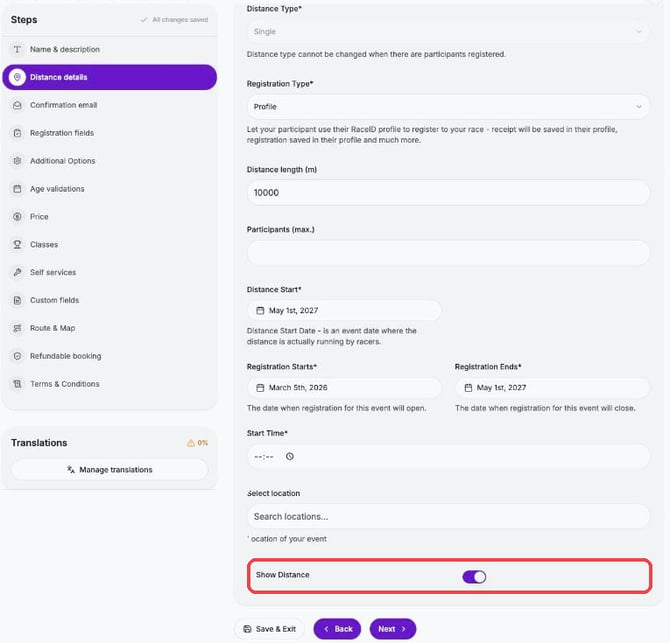
2. Click Distance details and scroll to the bottom.
3. Turn Show Distance off to hide the distance, or on to show it.
![RaceID-Wordmark.png]](https://support.raceid.com/hs-fs/hubfs/RaceID-Wordmark.png?height=20&name=RaceID-Wordmark.png)
1. Open your race, click the three dots next to the distance and select Edit.
2. Click Distance details and scroll to the bottom.
3. Turn Show Distance off to hide the distance, or on to show it.